Festival prompt
New Year 2027 Couple Gemini Prompt
Free New Year 2027 couple Gemini AI photo editing prompt. Upload your couple photo and get a glamorous fireworks party portrait. Copy paste and try it now.
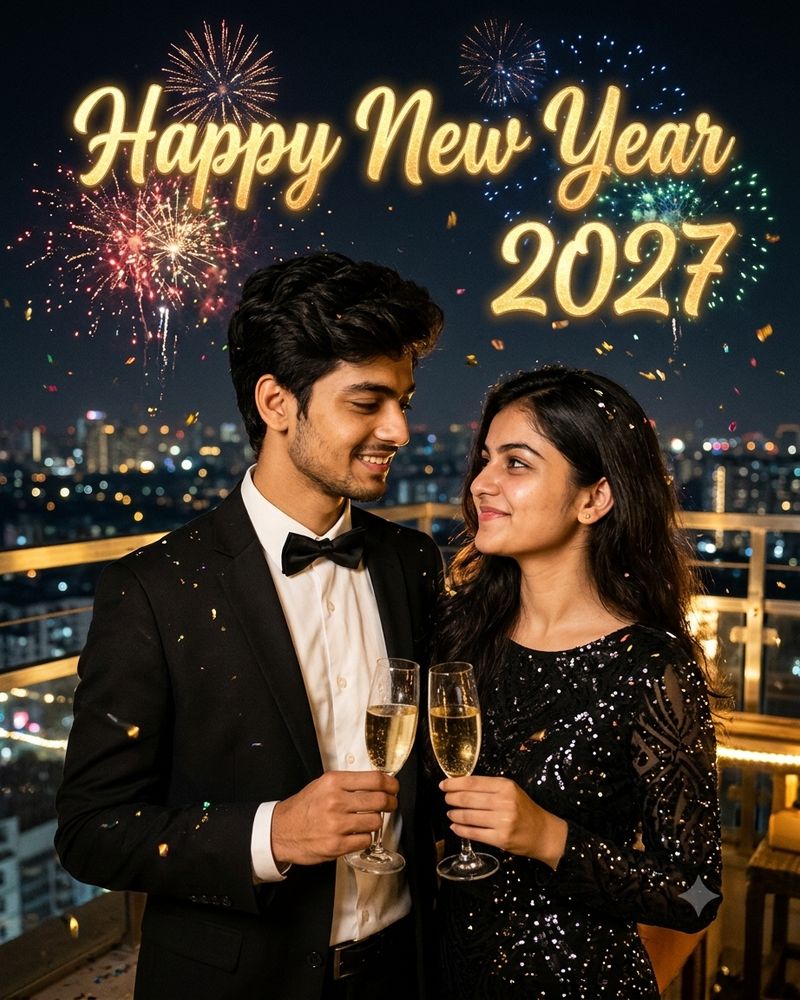
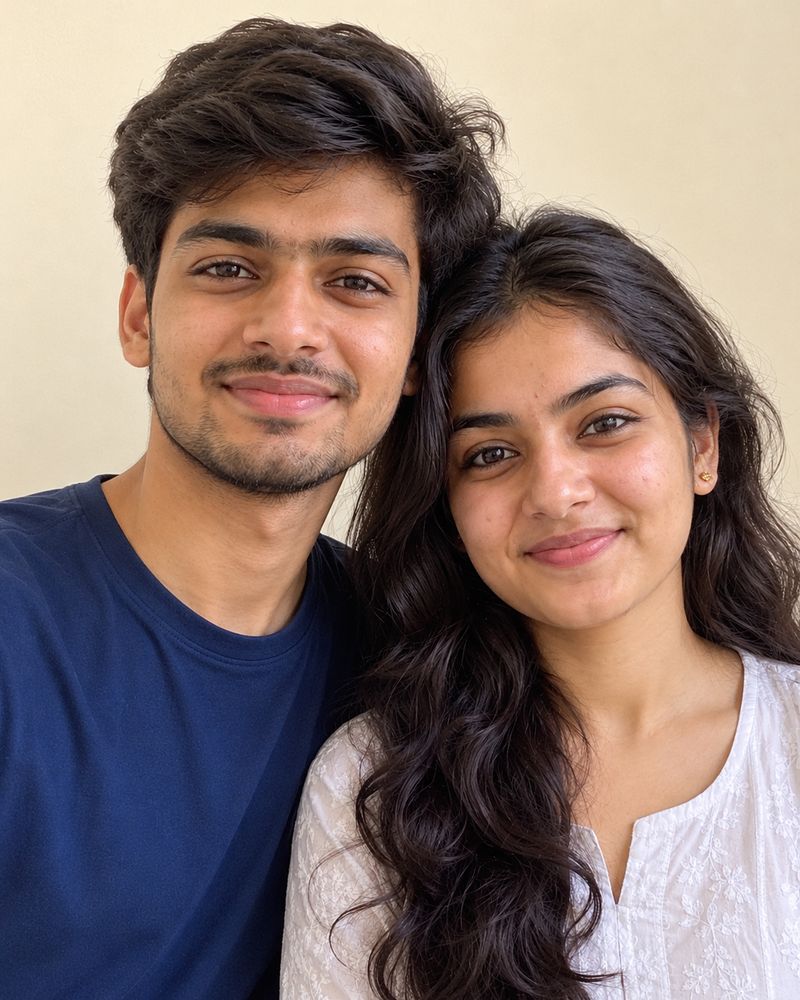
Copy this prompt
Upload your own clear photo in the AI app first, then paste the prompt. Results can differ a little between tools.
Prompt variations
Same idea, different scene. Each one has its own copy button.
Indian festive look
Countdown party
On this page
What this look is and who it suits
This New Year couple Gemini prompt turns a simple photo of two people into a glamorous midnight celebration. In the final picture the woman wears a sparkling black evening dress and the man a classic black suit. They stand close on a rooftop, holding glasses and smiling at each other, while fireworks burst over a city skyline and the words “Happy New Year 2027” glow in the sky.
It is a good fit for married couples, boyfriends and girlfriends, and engaged couples who want a photo to post on 31 December or 1 January. It also works for a first New Year as a couple, an anniversary that falls close to the new year, or a simple greeting you want to send to family on WhatsApp. The look is dressy and cinematic, so it feels like a party photo even if you spent the night at home.
The prompt tells the AI to keep both faces, skin tones and hairstyles the same. The edit only changes outfits, place and light. Because there are two faces to protect, it is a little harder than a single-person edit, and the tips below help with that.
How to use this New Year couple Gemini prompt
- Open Gemini on your phone or at gemini.google.com and sign in.
- Upload one couple photo using the plus icon.
- Paste the full prompt from the box above.
- Send it and wait for the image. Check the faces first, then the text in the sky.
- If one person looks off, reply in the same chat and name that person, for example “Keep her face closer to the original photo, his face is good.”
- If the text is wrong, reply with “Make the sky text read exactly: Happy New Year 2027.”
- Download the image once you are happy.
Because a fireworks scene has a lot of detail, Gemini can take a little longer than for a plain portrait. Wait for the full image before judging it.
How to use it in ChatGPT
- Start a new chat and upload your couple photo with the attach button.
- Paste the prompt and add: “Use the uploaded photo as the reference for both faces.”
- Send it and give it up to a minute.
- For fixes, ask for one change at a time. ChatGPT is usually better at drawing clean text, so if Gemini struggles with “2027”, try the same prompt there.
ChatGPT sometimes adds a very smooth, glossy finish. Add “natural skin texture, realistic party photo” if the faces look too polished.
Photo tips for couple edits
- Both faces visible: Neither person should be partly hidden by hair, a hand or the other person. Eyes should be open.
- Same distance from the camera: If one person is much closer, one face will be big and sharp and the other small and weak. Stand shoulder to shoulder.
- Similar height in the frame: If there is a big height difference, ask for the shorter person to “stand slightly closer, heads at a natural height difference”.
- Light on both faces: Soft front light from a window is better than a room with one bright lamp on one side.
- Simple pose: Standing close or a side hug works well. Avoid kissing photos or faces turned away, because the AI loses the facial features.
- No heavy filters: Upload the original, not a filtered version.
If you only have a selfie, hold the phone slightly above eye level and fit both faces fully in the frame.
How to customise the prompt
Change the outfit, setting or props, and leave the first two sentences about keeping faces the same.
- Outfits: Swap the black dress for “deep emerald green satin dress” or “champagne gold gown”, and the suit for “navy tuxedo with a bow tie”.
- Drinks: Replace “champagne glasses” with “sparklers” or “glasses of sparkling juice”.
- Place: Replace “rooftop at midnight” with “a hotel balcony”, “a beach with fireworks” or “a street with festive lights”.
- Text: Change the year text to “Happy New Year” only, or a short line like “Cheers to 2027”. Shorter text is easier for the AI to spell.
- Mood: Replace “cinematic” with “candid, laughing, party photo” for a more natural feel.
The two variations
The Indian festive look dresses the woman in a golden saree and the man in a black bandhgala on a decorated balcony. It is a nice option if you are celebrating with family or want something different from the usual western party look. Ask for the saree drape to be “neat and simple” if the pleats look messy.
The countdown party variation has gold and black balloons, “2027” foil balloons and confetti. It is more casual and fun, so it works well for friends’ groups and couples who like a candid style. Foil balloon numbers can be spelled wrongly, so check the digits carefully.
Common problems and fixes
The two faces blend into each other. Use a photo where the faces do not overlap. Add “two clearly separate people with distinct faces”.
One person looks like someone else. Reply naming that person and asking for a closer match. Regenerate if needed.
Wrong or messy text. Keep the text short. If it still fails, remove it from the prompt and add it later in a free photo app.
Extra or bent fingers on the glasses. Add “natural hands, five fingers each” or switch to sparklers, which are easier to draw.
Fireworks hide the faces. Add “fireworks stay in the background, faces are clear and well lit”.
Wrong picture shape. Add “vertical 4:5 portrait” at the end, or crop the result.
A note on responsible use
Only upload photos of people who agree to be edited. Gemini and ChatGPT process the photo under their own privacy rules, so avoid uploading photos of children or private documents.
Frequently asked questions
Is this New Year 2027 couple Gemini prompt free?
Yes, you can copy and use it as many times as you want. You only need Gemini or ChatGPT, and the free image-edit limits depend on the app and can change from time to time.
What kind of couple photo works best?
Use one photo where both faces are clearly visible, at a similar size, and both people are looking towards the camera. Standing close together with no one hiding behind the other gives the AI the best chance of keeping both faces right.
The text 'Happy New Year 2027' came out wrong. How do I fix it?
AI apps sometimes spell or shape letters badly. Regenerate once or twice, or reply with 'Fix the text so it reads exactly: Happy New Year 2027'. If it still fails, remove the text line from the prompt and add the words later in Canva or any photo editor.
I do not want champagne glasses in the picture. Can I change that?
Yes. Replace 'champagne glasses' with 'glasses of sparkling juice' or 'sparklers'. Sparklers look festive and are a good choice for families, younger users and anyone who prefers not to show alcohol.
One face looks right but the other does not. What now?
This happens often with two-person edits. Reply in the same chat with 'Keep the man's face closer to the original photo, the woman is perfect'. Naming the person who needs the fix works better than a general complaint.
More Festival prompts
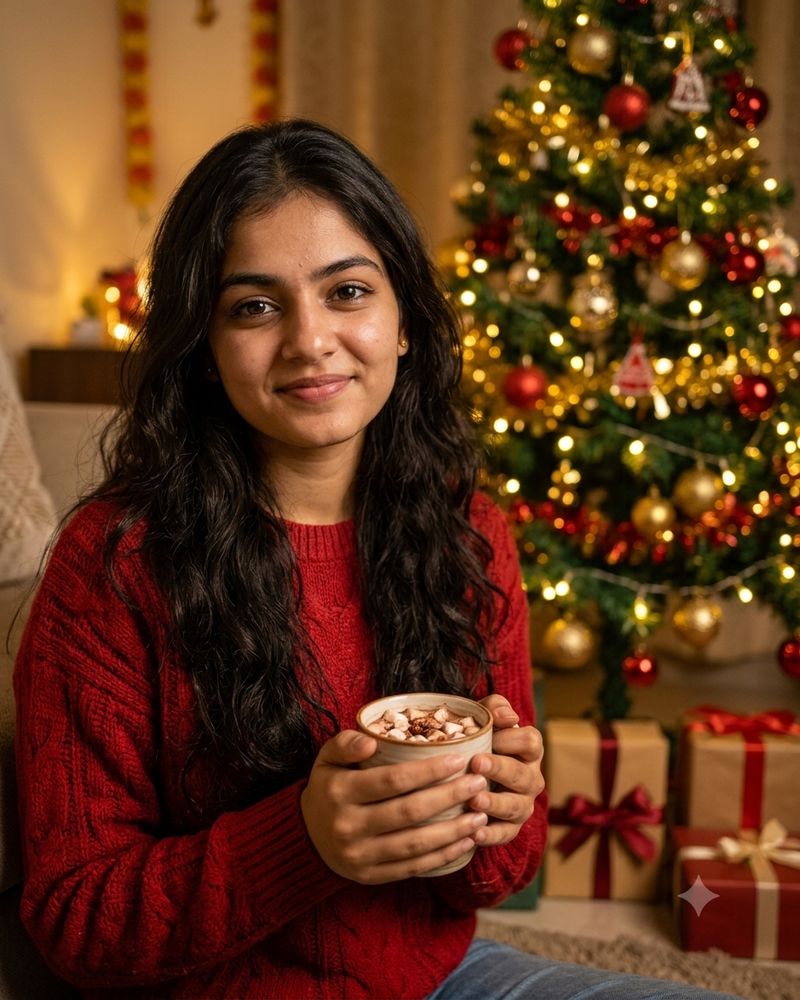
Christmas Gemini Prompt for Girls
Free Christmas Gemini AI photo editing prompt for girls. Copy, paste, upload your photo and get a cosy red-sweater Christmas portrait in seconds.
- Gemini
- ChatGPT