Boys prompt
Gemini Prompt for Boys: Cinematic Edit
Free trending Gemini AI photo editing prompt for boys. Copy paste this cinematic portrait prompt, upload your photo and get a stylish moody edit instantly.
Copy this prompt
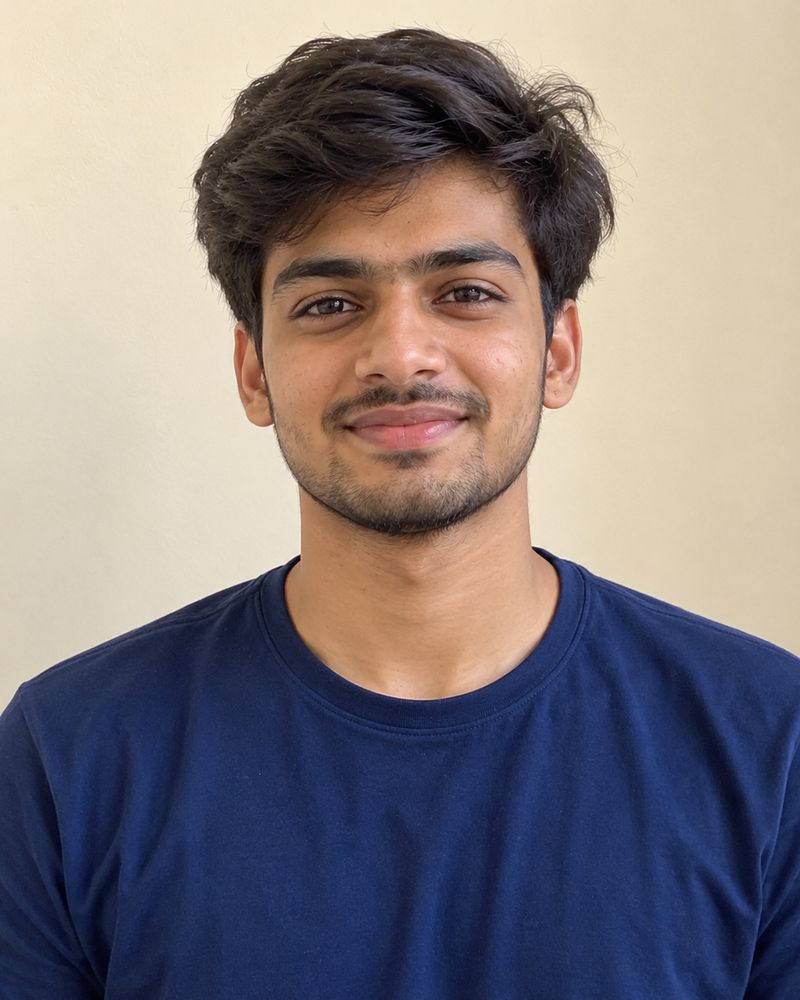
Upload your own clear photo in the AI app first, then paste the prompt. Results can differ a little between tools.
Prompt variations
Same idea, different scene. Each one has its own copy button.
Sunset bike
Black and white studio
On this page
What this look is and who it suits
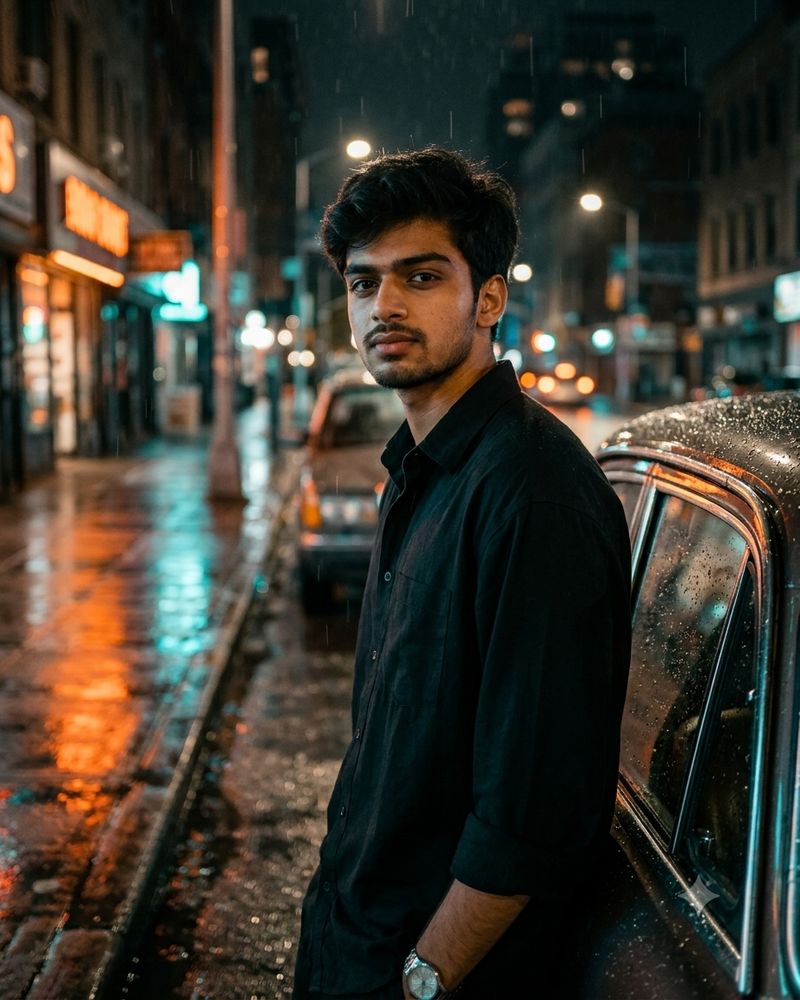
This Gemini prompt for boys creates a moody, cinematic night portrait. In the finished picture he wears an oversized black shirt with rolled sleeves and a silver watch, and leans against a vintage car on a wet city street. Orange and teal neon lights reflect on the road, light rain falls, and a soft rim light traces his face and shoulders. His look is calm and confident, slightly turned away from the camera, like a poster for a crime thriller.
It suits boys and men who want a stylish profile picture or Instagram post without a photoshoot. The black-and-neon style works for college students, gym-goers, musicians, photographers and anyone who likes the serious, film-style look. It is popular because it makes an ordinary room selfie look like a movie frame. If you want a trending look that does not turn you into a cartoon, this is a good first choice.
The prompt tells the AI to keep your face, skin tone, beard and hairstyle. The edit changes the clothes, the place and the light.
How to use this Gemini prompt for boys
- Open the Gemini app or gemini.google.com and sign in.
- Upload one clear photo with the plus icon.
- Paste the full prompt from the box above.
- Send it and wait for the image. Check the face, beard line and hair first.
- If the face is right but the scene is too dark, reply: “Keep everything, but lift the shadows slightly so the face is clearly visible.”
- Download the image when you are happy.
Gemini handles neon and rain reflections well. If the rain looks too heavy and covers the face, reply with “very light drizzle only, face completely dry and clear”.
How to use it in ChatGPT
- Open a new chat and attach your photo.
- Paste the prompt and add: “Use the uploaded photo as the reference for the face and beard.”
- Send it and wait up to a minute.
- For changes, ask for one thing at a time, such as “make the car dark green”.
ChatGPT often gives a cleaner, sharper face but a slightly cartoon-like city. If the street looks too perfect, add “real street, slightly messy, natural”.
Photo tips for a cinematic edit
- Face visible: No sunglasses, no cap, no mask. The AI needs your eyes, nose and jawline.
- Light direction: Light from the front or slightly from one side is best. A dark room with a bright screen glow often gets copied badly.
- Angle: Slightly below the eyes can look strong, but a very low angle can change face shape. Keep the phone at about eye level.
- Beard and hair: Take the photo as you look on a normal day. The AI copies what it sees, and a messy half-beard becomes a fixed beard.
- Upper body: Include shoulders and chest. The oversized shirt and rolled sleeves need space to appear.
- Expression: A calm, neutral face works better than a big grin, because the prompt asks for a calm, confident look.
How to customise the prompt
Keep the first sentence about the face, then play with the scene.
- Clothes: “Dark green bomber jacket over a white tee”, “beige trench coat”, “plain white linen shirt with open collar”.
- Place: “Empty rooftop at blue hour”, “old railway platform at night”, “narrow lane with hanging yellow bulbs”.
- Colour mood: Change “orange and teal neon” to “warm yellow street lights only” for a softer look.
- Props: Replace the car with “an old Royal Enfield” or “a tea stall with steam rising”.
- Expression: “Soft half-smile looking at the camera” if you want a friendlier picture.
Example: change “vintage car on a city street at night” to “old railway platform at night with a passing train blur” and keep the rest for a very different scene.
The two variations
The sunset bike version places him on a classic motorbike on an empty highway in golden light, wearing a brown leather jacket. It is brighter and suits a travel or adventure post. Check that the sunglasses sit on the head and not over the eyes.
The black and white studio version is a clean magazine-style portrait in a black turtleneck with dramatic side light. It is the best choice when you want a serious profile picture for LinkedIn-style use or a creative portfolio. The simple background keeps the face sharp.
Common problems and fixes
The face looks different or too smooth. Use a sharper input photo and regenerate. Add “natural skin texture, no beautification”.
Beard or hair changed. Add “same beard shape and length, same hairline”.
Hands or watch look odd. Add “natural hands, five fingers”. Or change the pose to “one hand in the pocket”.
Image too dark. Add “face well lit, visible details in the shadows”.
Strange text on shop signs. Add “no readable text or signs in the background”.
Wrong shape. Add “vertical 4:5 portrait” at the end, or crop the image.
A note on responsible use
Use only your own photo or one from someone who agrees. Do not use these edits to pretend you own a car or bike you do not own in a way that misleads others, or to imitate a real person.
Frequently asked questions
Is this Gemini prompt for boys free?
Yes, you can copy it and use it as often as you like. You only need Gemini or ChatGPT. Free image-edit limits differ between apps and can change, so check the app if an edit does not go through.
Which photo should a boy upload for this cinematic edit?
A clear, front-facing or slightly angled photo with good light on the face. Chest-up works best. Remove sunglasses and caps, because the AI needs to see the eyes and the hairline to keep the face and hairstyle the same.
My beard or hairstyle changed in the result. How do I fix it?
The prompt already says to keep the beard and hairstyle. Add 'same beard length, same hair parting, same hair length' and regenerate. If you are clean-shaven, change 'beard' to 'clean-shaven face' so the AI does not add one.
Can I change the shirt, car or background?
Yes. Swap the black shirt for 'dark green bomber jacket' or 'white linen shirt', and the vintage car for 'old Royal Enfield' or 'a neon-lit tea stall'. Change one or two details per try.
How do I make the result look less like an AI picture?
Add 'natural skin texture, visible pores, slight film grain, not airbrushed'. Also avoid asking for too many glowing lights. Fewer light sources look more realistic.